
A Quick Post on How to Use Facebook Insights For Content Ideas…
Facebook Insights is a quick and easy tool that lets you see at a glance, the type of content that your Facebook visitors are engaging with.
Why would you want to understand that? It will point you in the right direction to go with future content creation to continue to increase your engagement and keep people clicking and hopefully coming back to your page…
As an Agency, we have the added benefit of being able to look at Facebook Insights across dozens of pages that we manage, but the strategy is just as good for use with your own page.
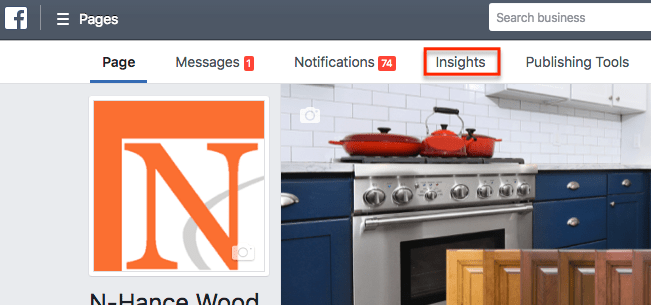
Start by going to your business page within business manager and click the Insights link in the top menu bar.
Facebook Insights
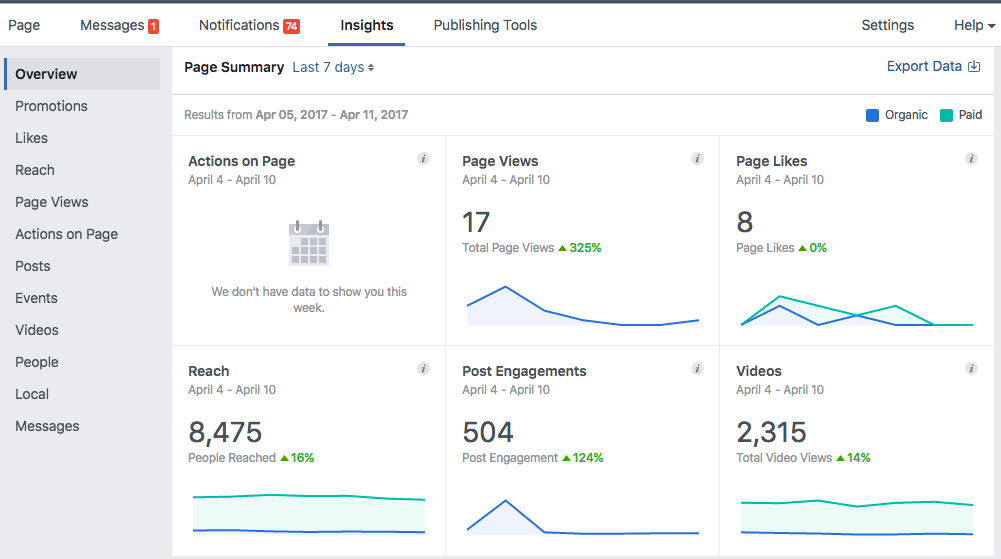
The Facebook Insights Overview from the Dashboard gives you a pile of information at a glance. You can also use the menu along the left side to dig deeper into each of the categories if you choose.
For this example, we want to use the Facebook Insights Tool to see which type of content your browsers have been engaging with.
So, Scroll down to recent posts and click ‘Show All Posts’.
The first thing worth glancing over is the graph at the top – ‘When Your Fans Are Online’
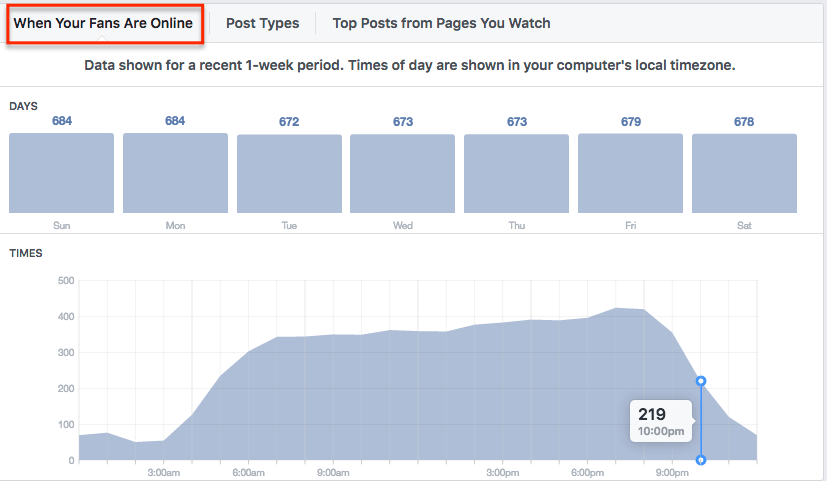
If you are scheduling posts, this gives you an idea as to the time of day your posts have an opportunity to reach fans.
The trend that we have seen increasing over the years, thanks to mobile devices, is that Facebook users are online from when they wake up until when they go to bed… Sure you can see a peak at around 7 pm, but you don’t just want to post content at peak times, as your organic reach will likely be lower at those times due to content competing for the timeline.
We stagger our content, without trying to be over the top. We typically put a post or two out in the morning hours followed by some afternoon posts, in an effort to be in the timeline at various times that browsers decide to scroll through.
You can now scroll down and look at Facebook Insights for Reach and Engagement. The thing to look for are the posts that have bigger numbers than the others… often these are not big numbers, but a post that does 10-20% better reach than all the others can give you some good ideas.
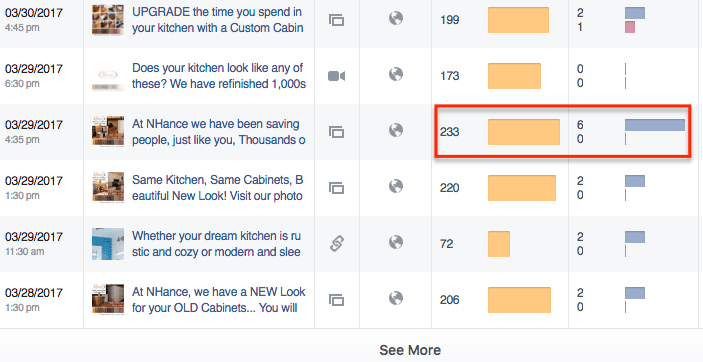
Make sure to click, ‘See More’ at the bottom and you can go back through many weeks of posts to look for something that stands out.
In the case above, the post that sticks out reached more people, 233 and had 6 engagements.
Again, while these numbers may not seem large, in this case, this is all Organic Reach which means Unpaid traffic.
That’s right, if the post has paid reach, you will see it, it will stick out and have a reach number in the thousands… but the good news is depending on how many people like and follow your page, you can have several attempts daily to reach a percentage of them for no charge simply by taking the time to create some content.
Organic reach has been dwindling due to the competition for Ad space in the timeline. The sad part is, it’ true, we can only reach a small percentage of the people who like and follow your page for free with these posts.
The opposite side however is that when you learn to put out content that users, like, know and share, Facebook rewards you through something called Edge Rank and your posts start to reach a greater number of the people who Like or Follow your page…
That’s why we continually try to come up with new and creative things to work and check back here with Facebook Insights as a Free tool to help determine the type of content we will further develop and even what may become worthy of advancement into paid ad creation.
So from this point, you can click the individual post and open up more detail about the interactions:

In the above example, the only data to look at is that 233 people were reached, 6 people clicked and 4 viewed photos… again, not overwhelming data, but this is free engagement and it gives you an idea of what type of photos, copy and timing prompted browsers to take action.
The key with Facebook Organic reach is to continually come up with new content to put out to your page, then monitor using these strategies to see how you can improve.
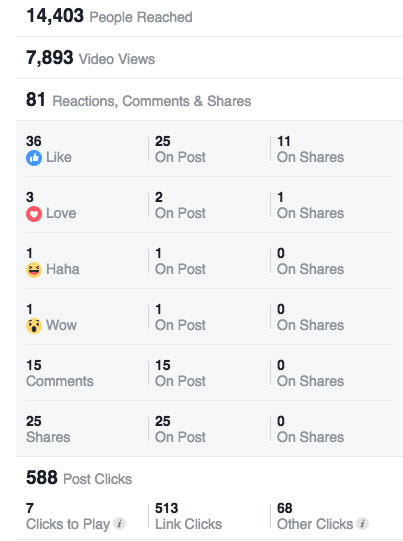
Here is the kicker though, Organic reach will continue to decline as Ad Space reaches higher demand, this is why we recommend combining your Facebook posts with a good Paid Ad Strategy. Have a look at the same comparable numbers from one of our campaigns:
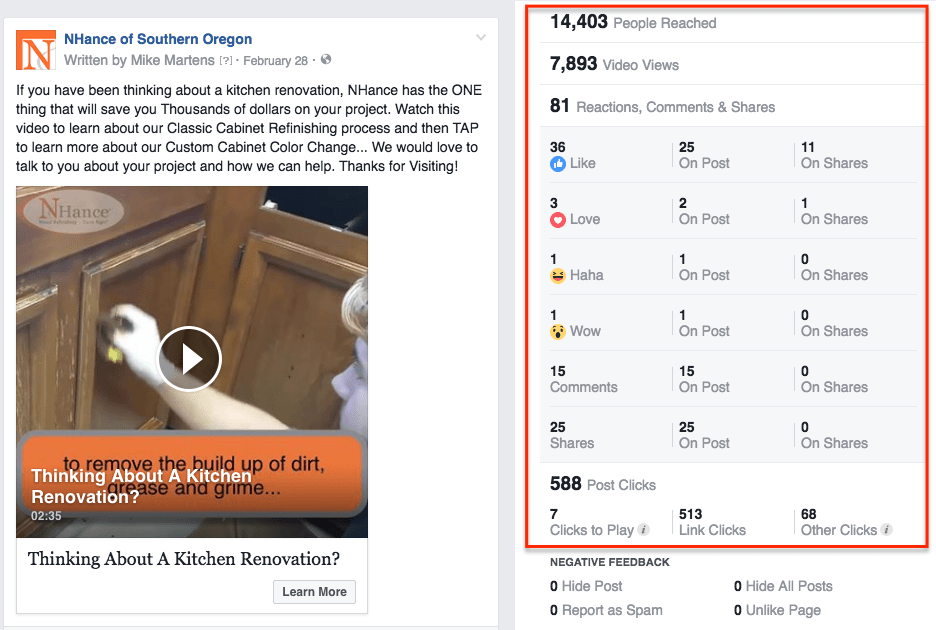
… as you can see, your Organic Reach just doesn’t come close in terms of comparing to the potential of Paid traffic on Facebook but if you learn to create engaging content, even if it is an Ad that brings a browser back to your page, you then have lots of content and the ability to convert that browser into a lead.
Create Content Using Facebook Insights
Check out our Recent Article on Facebook Reviews